Your logo.
Your QR code.
Inside ChatGPT.
QR With Style brings a visual QR code editor into your conversation. Add a logo, choose your colours and download artwork for your website, menu or printed card.
Create a QR code on the websiteChatGPT app: in review. Public directory access is pending OpenAI approval. You can use the website now.
How the ChatGPT app works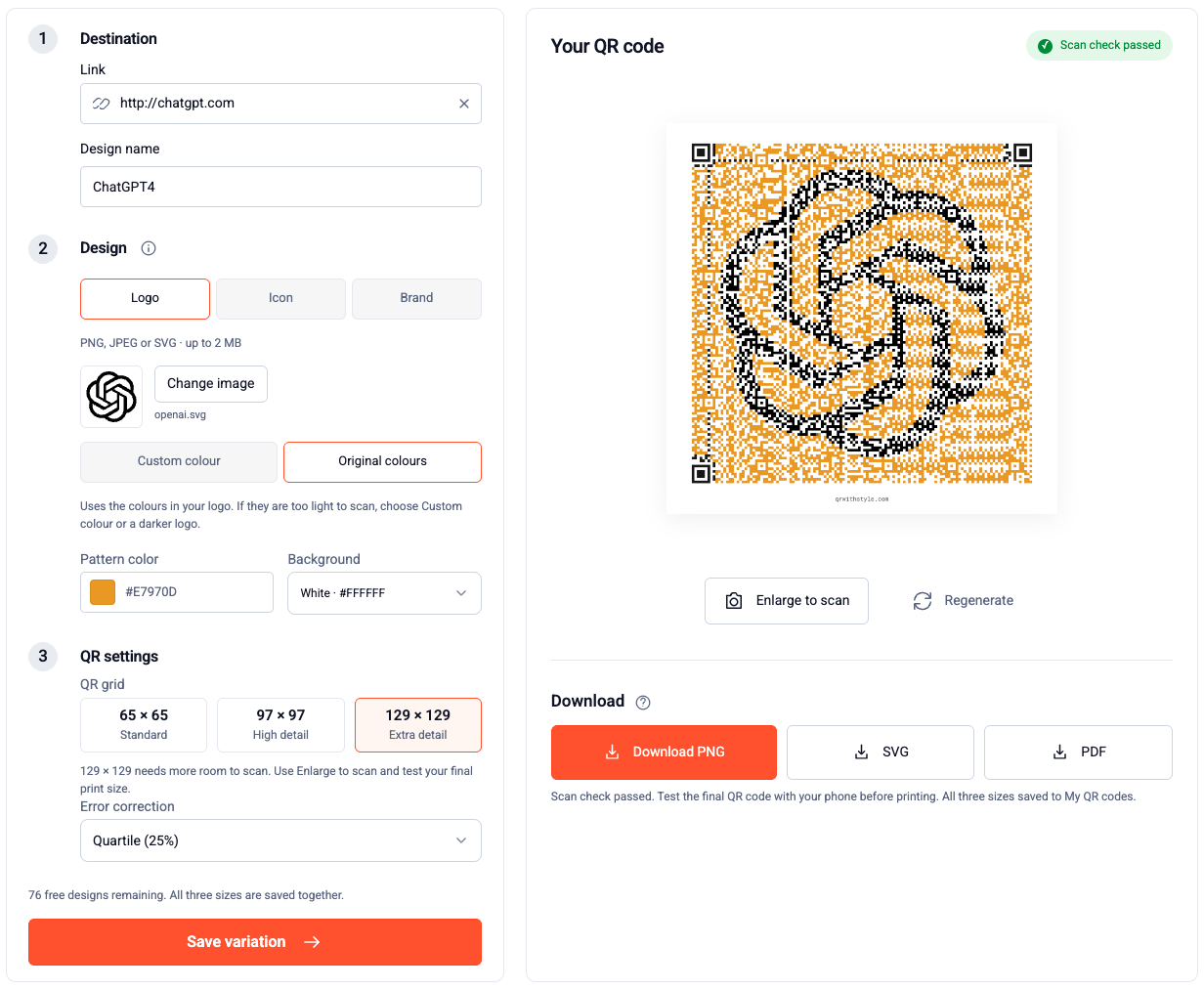
From a conversation
to a QR code.
The website and ChatGPT app use your verified QR With Style account and saved designs.
Once the app is publicly available, connect it through ChatGPT’s app directory and sign in to QR With Style. The directory link will be added here after publication.
Give it a destination
Provide the exact URL or text to encode. A name such as “Cafe menu” helps you find the design later.
Make it yours
Open the editor to upload a PNG, JPEG or static SVG logo up to 2 MB. Keep Custom colour, the default, or choose Original colours to sample your logo’s palette.
Check, save and download
All three grids—65 × 65, 97 × 97 and 129 × 129—must pass the software scan check before saving. One new design uses one allowance. Download PNG, SVG or PDF.
Start with a simple request.
When QR With Style is connected, these prompts give the app a clear task. Replace the example address with your own destination.
“Create a circle QR code for https://example.com/menu and name it Cafe menu.”
“Open the QR editor so I can upload my logo and use its original colours.”
“Show my saved QR codes and prepare SVG and PDF downloads for Cafe menu.”
Before you print.
Will my logo’s original colours scan?
Both colour modes go through the same software scan check. Original colours preserve the sampled palette. If a design fails, try Custom colour with a darker ink or a clearer logo. A software check does not guarantee phone-camera scanning: test your final display or print size, especially the denser 129 grid.
Can I use JPEG or SVG instead of PNG?
Yes. The editor accepts PNG, JPEG and static SVG files up to 2 MB. SVGs with scripts or external resources are rejected. A clear logo with a plain or transparent background works best.
What happens when my design allowance runs out?
You can still open and download saved designs. Renaming and reopening a design do not use another allowance. See plans and pricing for current allowances.
Do free downloads include branding?
Free digital designs include a small qrwithstyle.com footer below the QR code. Subscription designs and all sticker print artwork have no website footer.
Can I order stickers through ChatGPT?
Physical sticker options, checkout and order management are handled on the QR With Style website. The ChatGPT editor focuses on creating, managing and downloading designs.
Are my saved designs public?
Saved designs belong to your account. Sharing with another account or enabling a public link requires an explicit action. Read our privacy policy or contact support for connection help.
Your next QR code starts here.
The website is ready while the ChatGPT app is in review.